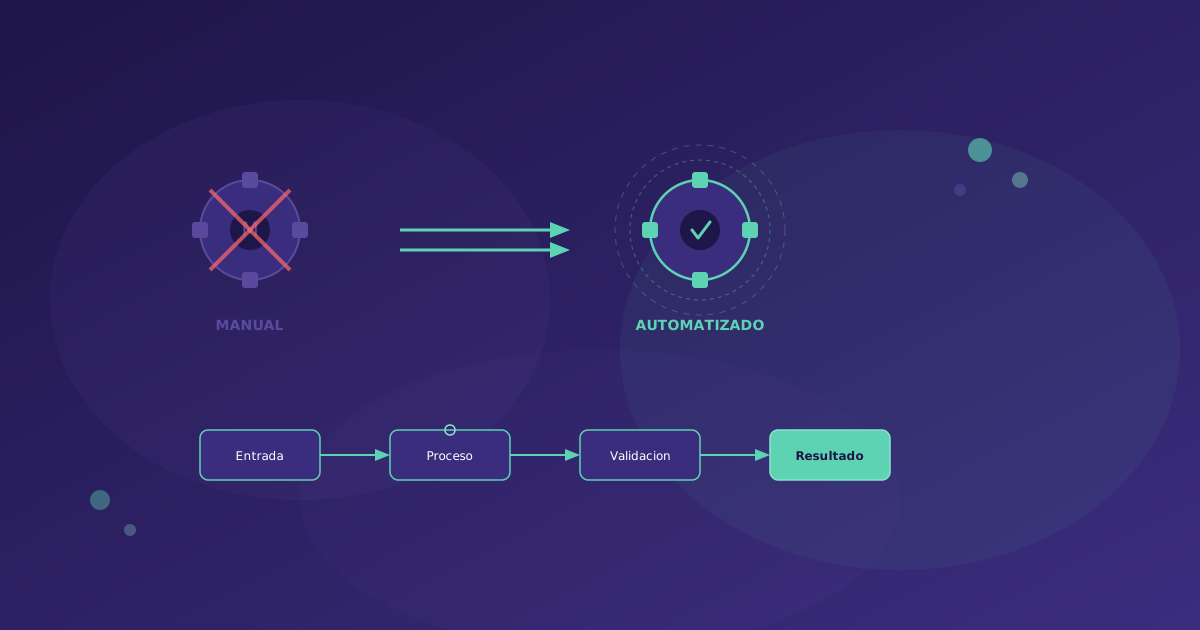
Business process automation is no longer a luxury reserved for large corporations. In 2026, the available tools allow a small business with 20 employees to automate workflows that previously required a dedicated IT team. This guide covers everything you need to know to implement automation in your organization.
What Is Business Process Automation
Business Process Automation (BPA) consists of using technology to execute repetitive, rule-based tasks without human intervention. It is not about replacing people, but about freeing their time for tasks that truly require human judgment.
Key stat: According to McKinsey, 60% of occupations have at least 30% of activities that could be automated with current technology.
Types of Automation
1. Rule-Based Automation (RPA)
What it is: Software robots that replicate human actions on user interfaces. They click, copy data, fill in forms.
Real example: A bot that every morning downloads invoices from email, extracts the data (supplier, amount, date), records them in the ERP, and files the PDF in the correct Google Drive folder.
Tools: UiPath, Automation Anywhere, Power Automate, Robocorp
Best for: Repetitive processes with clear rules, integration with legacy systems that do not have an API
Limitations: Fragile in the face of UI changes, does not handle exceptions well, high licensing costs in enterprise solutions
2. Workflow Automation (BPM)
What it is: Orchestration of processes involving multiple people, systems, and decisions. It defines who does what, when, and under what conditions.
Real example: New employee onboarding process:
- HR creates the record in the system
- The contract is automatically generated from a template
- IT receives a task to create accounts (email, Slack, GitHub)
- The manager receives a notification to prepare the first weeks plan
- The new employee receives a welcome email with documentation
Tools: n8n, Make (Integromat), Zapier, Camunda, Temporal.io
Best for: Processes that cross departments, approvals, flows with conditions
3. Intelligent Automation (AI + Automation)
What it is: Combines classic automation with artificial intelligence to handle tasks that require “judgment”: classifying documents, understanding natural language, making decisions based on patterns.
Real example: Customer service system that:
- Receives a ticket via email or chat
- AI classifies the ticket (billing, technical support, sales)
- Analyzes sentiment (urgent, frustrated, neutral)
- If it is a frequent query, responds automatically with the solution
- If it requires human intervention, assigns it to the most suitable agent with a summary and response suggestion
Tools: OpenAI/Anthropic APIs + n8n/Make, Langchain, custom pipelines
Best for: Processes with unstructured data (emails, documents, images)
4. System Integration (iPaaS)
What it is: Connecting applications to each other so data flows automatically without manual intervention.
Real example: When a client signs a contract in DocuSign:
- A project is automatically created in Monday.com
- A folder is generated in Google Drive with the project structure
- A Slack channel is created for the team
- The expected revenue is recorded in QuickBooks
- A welcome email is sent to the client
Tools: Make, Zapier, n8n, Workato, Tray.io
How to Calculate the ROI of Automation
Before automating, you need to know if it is worth it. Here is a practical formula:
Basic Formula
ROI = (Annual Savings - Automation Cost) / Automation Cost x 100

Annual Savings = Hours Saved x Cost per Hour x 52 weeks
Automation Cost = Implementation + Annual Licenses + Maintenance
Practical Example
Process: Manual generation of weekly reports for management
-
Current time: 8 hours/week (gather data from 5 systems, create Excel, format, send)
-
Loaded employee cost per hour: 35 EUR/hour
-
Annual savings: 8 x 35 x 52 = 14,560 EUR
-
Implementation cost: 5,000 EUR (custom development with n8n)
-
Annual licenses: 600 EUR (n8n cloud)
-
Maintenance: 1,200 EUR/year
-
Total cost year 1: 6,800 EUR
-
Total cost year 2+: 1,800 EUR
-
Year 1 ROI: 114%
-
Year 2 ROI: 709%
Non-Quantifiable Benefits
Beyond direct savings, automation provides:
- Reduction of human errors: A bot does not make mistakes when copying numbers
- 24/7 availability: Automated processes do not sleep
- Traceability: Everything is recorded, facilitating audits
- Scalability: Processing 10 or 10,000 records costs the same
- Employee satisfaction: Nobody wants to spend 8 hours copying data between systems
Step-by-Step Implementation Plan
Phase 1: Identifying Opportunities (2-4 weeks)
Objective: Find processes with the highest automation potential.
Prioritization criteria:
- Volume: How many times the process is executed (daily > weekly > monthly)
- Time: How long each execution takes
- Standardization: Does it always follow the same steps or does it vary
- Error impact: What happens when a mistake is made (cost, reputation)
- Number of systems involved: More systems = more manual friction
Practical exercise: Ask each department to document their 5 most repetitive tasks with:
- Process description
- Frequency (times/week)
- Time per execution
- Tools/systems used
- Common errors
Phase 2: Design and Prototype (2-3 weeks)
Objective: Design the automation for the priority process and create a functional prototype.
Steps:
- Document the current process (as-is) with a flow diagram
- Design the automated process (to-be)
- Identify necessary integrations (APIs, connectors)
- Build a prototype with real data (but in test environment)
- Validate with process users
Example of automated invoicing flow:

[Invoice received by email]
        |
[AI extracts data: supplier, amount, concept, date]
        |
[Automatic validation]
   /         \
[OK]        [Error: incomplete data]
  |              |
[Record        [Notification to responsible
 in ERP]        with partial data]
  |
[Archive in
 Google Drive]
  |
[Notification
 to responsible: "Invoice recorded"]
Phase 3: Development and Integration (3-6 weeks)
Objective: Build the definitive automation with error handling, logging, and monitoring.
Critical elements:
- Error handling: What happens when an API does not respond, data is invalid, or a system is down
- Retries: Configure automatic retries with exponential backoff
- Notifications: Alert when automation fails
- Logs: Record every execution for debugging and auditing
- Idempotency: Ensure that running the same process twice does not cause duplicates
Phase 4: Testing and Validation (1-2 weeks)
- Run automation in parallel with the manual process for 1-2 weeks
- Compare results: automation must produce the same output (or better) as the manual process
- Validate edge cases: what happens with atypical data, high volumes, system failures
- Obtain stakeholder approval
Phase 5: Deployment and Training (1 week)
- Activate automation in production
- Train affected users (what changes for them, how to supervise, when to escalate)
- Document the automated process
- Configure monitoring dashboards
Phase 6: Continuous Optimization (ongoing)
- Review metrics monthly: time saved, errors, exceptions
- Identify incremental improvements
- Expand to new processes based on learnings
Recommended Tools by Use Case
For Small Businesses and Startups (low-code/no-code)
| Tool | Best For | Price |
|---|---|---|
| n8n | Complex automations, self-hosted, full control | Free (self-hosted) / 20 EUR/month (cloud) |
| Make | SaaS integrations, visual workflows | 9-16 EUR/month |
| Zapier | Simple integrations, huge ecosystem | 19-49 EUR/month |
For Medium-Sized Companies (low-code + custom)
| Tool | Best For | Price |
|---|---|---|
| n8n + custom nodes | Workflows with complex business logic | Variable |
| Temporal.io | Microservice orchestration, long-running processes | Open source |
| Retool | Internal dashboards + automations | 10 USD/user/month |
For Enterprise (complete platforms)
| Tool | Best For | Price |
|---|---|---|
| UiPath | Enterprise RPA, legacy processes | From 420 USD/month |
| Camunda | Complete BPM, BPMN 2.0 | Open source + enterprise |
| Workato | Enterprise iPaaS, compliance | From 10,000 USD/year |
Common Mistakes
1. Automating a Broken Process
If the manual process does not work well, automating it will only make it fail faster. First optimize, then automate.
2. Not Involving Users From the Start
The people who execute the process know the edge cases, the exceptions, and the “tricks” that do not appear in any manual. Involve them in the design.
3. Underestimating Maintenance
An automation is not “set and forget.” APIs change, requirements evolve, and systems get updated. Budget 15-20% of the implementation cost annually for maintenance.
4. Wanting to Automate Everything at Once
Start with ONE process. Demonstrate value. Then expand. Automation is a muscle that is trained gradually.
5. Not Measuring Impact
If you do not measure the hours saved, errors avoided, and team satisfaction, you will not be able to justify the investment or prioritize the next processes to automate.
Practical Case: Client Onboarding Automation
To illustrate all of the above, we share a real case (anonymized) from a Soamee client:
Situation: B2B services company with 200 new clients/month. Onboarding took 3-5 days and required the intervention of 4 people from 3 departments.
Previous process:
- Salesperson closes the deal in CRM (manual)
- Sends email to operations with client data (manual)
- Operations creates the project in their tool (manual)
- IT creates accounts and access (manual)
- Customer Success sends welcome email (manual)
- Kick-off call is scheduled (manual)
Automated process:
- Salesperson marks deal as “closed” in HubSpot
- Webhook triggers workflow in n8n
- Automatically created: project in Monday, folder in Drive, channel in Slack
- Credentials are generated and sent to the client
- Personalized welcome email is sent via Brevo
- Kick-off call is scheduled via Calendly
- All stakeholders are notified via Slack
Results:
- Onboarding time: from 3-5 days to 2 hours
- Errors (incorrect data, forgotten steps): from 15% to less than 1%
- Customer satisfaction (NPS): from 42 to 67
- Hours saved: 120 hours/month (equivalent to 0.75 FTEs)
- First year ROI: 380%
Conclusion
Process automation is one of the highest-return investments a company can make in 2026. It does not require million-dollar budgets or enormous IT teams. With current tools, you can start with an investment of 3,000-10,000 EUR and see results in weeks.
The key is choosing the right process, involving the right people, and measuring the impact. If you need help identifying automation opportunities in your company or implementing solutions, contact us.