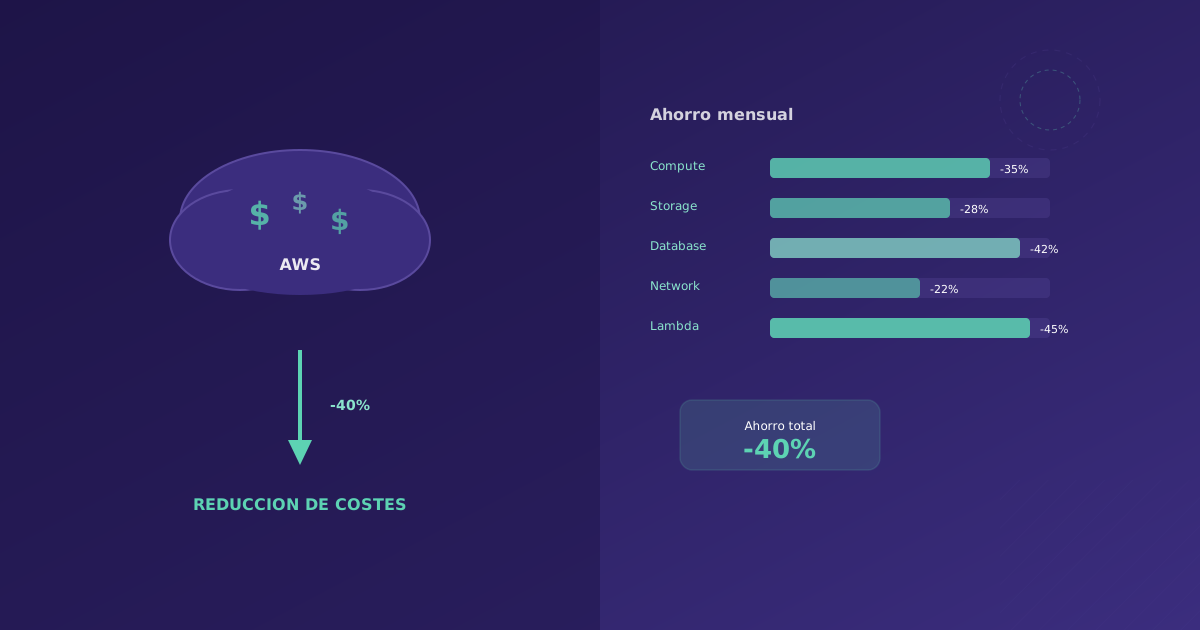
If your AWS bill grows every month without you understanding why, you are not alone. According to Flexera data, companies waste an average of 32% of their cloud spend. At Soamee we have helped clients reduce their AWS costs between 30% and 60% without sacrificing performance. This guide covers the strategies that work.
Before Optimizing: Understand Your Bill
The first step is knowing where the money goes. AWS Cost Explorer is your main tool.
Initial Setup
- Activate Cost Explorer in the root account (takes 24h to start showing data)
- Configure cost tags: Tag all resources with at least
Environment(prod/staging/dev),Team(responsible team), andProject(project) - Activate billing alerts: In AWS Budgets, create alerts at 50%, 80%, and 100% of your monthly budget
# Create a budget alert with AWS CLI
aws budgets create-budget \
  --account-id 123456789012 \
  --budget '{
    "BudgetName": "MonthlyBudget",
    "BudgetLimit": {"Amount": "5000", "Unit": "USD"},
    "TimeUnit": "MONTHLY",
    "BudgetType": "COST"
  }' \
  --notifications-with-subscribers '[{
    "Notification": {
      "NotificationType": "ACTUAL",
      "ComparisonOperator": "GREATER_THAN",
      "Threshold": 80,
      "ThresholdType": "PERCENTAGE"
    },
    "Subscribers": [{
      "SubscriptionType": "EMAIL",
      "Address": "devops@yourcompany.com"
    }]
  }]'
The Usual Suspects
In our experience, the biggest waste is in:
- EC2: Oversized instances or instances running 24/7 unnecessarily
- RDS: Development databases left on outside business hours
- EBS: Orphaned volumes (not attached to any instance)
- Elastic IPs: Elastic IPs not associated with any instance (they’re charged)
- S3: Data that should be in Glacier or deleted
- NAT Gateway: Unnecessary traffic through NAT (~0.045 USD/GB)
- CloudWatch Logs: Infinite retention of logs nobody queries
Strategy 1: Right-sizing (Immediate 20-40% Savings)
Right-sizing means adjusting instance sizes to what they actually need. It’s the fastest way to reduce costs.
How to Detect Oversized Instances
AWS Compute Optimizer analyzes CPU, memory, and network utilization of your instances and recommends more appropriate sizes.
# Get Compute Optimizer recommendations
aws compute-optimizer get-ec2-instance-recommendations \
  --filters Name=Finding,Values=OVER_PROVISIONED \
  --output table
Practical rule:
- If average CPU is below 20% for 2 weeks, downsize one level
- If memory used is below 50%, consider an instance with less RAM
- If network traffic is low, you don’t need “network optimized” instances
Real Example
| Current instance | Avg CPU usage | Memory usage | Recommendation | Monthly savings |
|---|---|---|---|---|
| m5.2xlarge (8 vCPU, 32 GB) | 12% | 35% | m5.large (2 vCPU, 8 GB) | 220 USD |
| r5.xlarge (4 vCPU, 32 GB) | 8% | 18% | t3.medium (2 vCPU, 4 GB) | 180 USD |
| c5.4xlarge (16 vCPU, 32 GB) | 45% | 60% | c5.2xlarge (8 vCPU, 16 GB) | 175 USD |
Right-sizing just 3 instances: 575 USD/month savings (6,900 USD/year).
Strategy 2: Reserved Instances and Savings Plans
If you already know you’ll use certain capacity for 1-3 years, Reserved Instances (RI) and Savings Plans offer discounts of 30-72%.
Savings Plans vs Reserved Instances
| Feature | Savings Plans | Reserved Instances |
|---|---|---|
| Flexibility | High (any instance) | Low (fixed family/region) |
| Maximum discount | ~66% (3 years, all upfront) | ~72% (3 years, all upfront) |
| Commitment | Hourly spend in USD | Specific instance type |
| Recommended for | Most cases | Very stable workloads |
Our recommendation: Start with Compute Savings Plans for your infrastructure baseline (the load that’s always on). They’re more flexible than RIs and discounts are nearly the same.
How to Calculate the Right Commitment
Stable monthly on-demand spend: 3,000 USD
Safety factor: 0.8 (commit 80% of baseline)
Monthly commitment: 2,400 USD
Savings Plan discount (1 year, no upfront): ~30%
Monthly savings: 720 USD
Annual savings: 8,640 USD
Golden rule: Never commit more than 80% of your base load. The remaining 20% gives you flexibility for changes.
Strategy 3: Spot Instances (60-90% Savings)
Spot Instances are AWS excess capacity offered at discounts up to 90%. The trade-off: AWS can reclaim them with 2 minutes notice.
Where to Use Spot
- CI/CD pipelines: Builds tolerate interruptions
- Batch processing: Jobs that can restart
- Queue workers: Asynchronous processing (SQS consumers)
- Dev/staging environments: Don’t need 100% uptime
- ML training: Modern frameworks support checkpointing
Where NOT to Use Spot
- Databases (obviously)
- Production web servers (unless you have a good auto-scaling setup)
- Anything stateful without a recovery mechanism
Example: CI/CD with Spot
# GitHub Actions with self-hosted runners on Spot
# Auto Scaling Group configuration for runners
Resources:
  CIRunnerASG:
    Type: AWS::AutoScaling::AutoScalingGroup
    Properties:
      MixedInstancesPolicy:
        InstancesDistribution:
          OnDemandBaseCapacity: 1  # 1 on-demand instance always
          OnDemandPercentageAboveBaseCapacity: 0  # The rest, Spot
          SpotAllocationStrategy: capacity-optimized
        LaunchTemplate:
          LaunchTemplateSpecification:
            LaunchTemplateId: !Ref CIRunnerLaunchTemplate
            Version: !GetAtt CIRunnerLaunchTemplate.LatestVersionNumber
          Overrides:
            - InstanceType: c5.xlarge
            - InstanceType: c5a.xlarge
            - InstanceType: c5d.xlarge
            - InstanceType: m5.xlarge
Real result: A client of ours moved their CI builds from c5.xlarge on-demand to Spot with fallback. Previous cost: 800 USD/month. Cost with Spot: 120 USD/month. 85% savings.
Strategy 4: Storage Optimization
S3: Lifecycle Policies
Most S3 data is accessed frequently only during the first few days. After that, nobody touches it.
{
  "Rules": [
    {
      "ID": "OptimizeCosts",
      "Status": "Enabled",
      "Transitions": [
        {
          "Days": 30,
          "StorageClass": "STANDARD_IA"
        },
        {
          "Days": 90,
          "StorageClass": "GLACIER_INSTANT_RETRIEVAL"
        },
        {
          "Days": 365,
          "StorageClass": "DEEP_ARCHIVE"
        }
      ],
      "Expiration": {
        "Days": 730
      }
    }
  ]
}
Cost per GB/month:
- S3 Standard: 0.023 USD
- S3 Standard-IA: 0.0125 USD (-46%)
- Glacier Instant Retrieval: 0.004 USD (-83%)
- Glacier Deep Archive: 0.00099 USD (-96%)
EBS: Orphaned Volume Cleanup
# Find EBS volumes not attached to any instance
aws ec2 describe-volumes \
  --filters Name=status,Values=available \
  --query 'Volumes[*].{ID:VolumeId,Size:Size,Type:VolumeType,Created:CreateTime}' \
  --output table
It’s common to find hundreds of GB in orphaned volumes from instances that were deleted but whose volumes were forgotten. At 0.10 USD/GB/month for gp3, 500 GB orphaned means 50 USD/month unnecessary.
EBS: Migrate from gp2 to gp3
If you still have gp2 volumes, migrate them to gp3. Same base performance, 20% cheaper, and you can configure IOPS and throughput independently.
# Migrate a volume from gp2 to gp3
aws ec2 modify-volume \
  --volume-id vol-0123456789abcdef0 \
  --volume-type gp3
Strategy 5: Network Optimization
NAT Gateway: The Silent Cost
NAT Gateway charges 0.045 USD/GB of processed data, plus 0.045 USD/hour. If your private instances make many calls to external APIs or download dependencies, the cost spikes.
Solutions:
- VPC Endpoints for AWS services (S3, DynamoDB, SQS): eliminate NAT traffic
- Cache dependencies: Don’t download npm packages from the internet on every build; use a private registry or cache
- Review logging: CloudWatch Logs Agent can generate significant traffic
# Create VPC Endpoint for S3 (saves NAT traffic)
aws ec2 create-vpc-endpoint \
  --vpc-id vpc-0123456789abcdef0 \
  --service-name com.amazonaws.eu-west-1.s3 \
  --route-table-ids rtb-0123456789abcdef0
Real case: A client had 2 TB/month of S3 traffic through NAT Gateway. Cost: 90 USD/month just in data. After creating the VPC Endpoint: 0 USD.
Strategy 6: Savings Automation
Shut Down Development Environments Outside Hours
Your dev and staging environments don’t need to run at 3 AM on a Sunday.
# Lambda function to stop/start instances by schedule
import boto3

def lambda_handler(event, context):
    ec2 = boto3.client('ec2')
    action = event.get('action', 'stop')  # 'stop' or 'start'

    # Find instances with tag AutoSchedule=true
    filters = [
        {'Name': 'tag:AutoSchedule', 'Values': ['true']},
        {'Name': 'tag:Environment', 'Values': ['dev', 'staging']}
    ]

    if action == 'stop':
        filters.append({'Name': 'instance-state-name', 'Values': ['running']})
        instances = ec2.describe_instances(Filters=filters)
        ids = [i['InstanceId']
               for r in instances['Reservations']
               for i in r['Instances']]
        if ids:
            ec2.stop_instances(InstanceIds=ids)
            print(f"Stopped {len(ids)} instances: {ids}")

    elif action == 'start':
        filters.append({'Name': 'instance-state-name', 'Values': ['stopped']})
        instances = ec2.describe_instances(Filters=filters)
        ids = [i['InstanceId']
               for r in instances['Reservations']
               for i in r['Instances']]
        if ids:
            ec2.start_instances(InstanceIds=ids)
            print(f"Started {len(ids)} instances: {ids}")
Typical savings: If your dev environments cost 1,500 USD/month running 24/7, shutting them down from 20:00 to 08:00 and weekends saves ~65%: 975 USD/month.
Cost Dashboard with Grafana
Set up a dashboard the team can view daily:
- Daily cost vs budget
- Top 10 services by cost
- Cost by team/project (based on tags)
- Month-over-month trend
- Anomalies (unexpected spikes)
Quick Optimization Checklist
If you need immediate results, execute this checklist:
- Delete unassociated Elastic IPs
- Delete orphaned EBS volumes
- Delete old snapshots (more than 6 months without use)
- Migrate gp2 volumes to gp3
- Configure S3 lifecycle policies
- Create VPC Endpoints for S3 and DynamoDB
- Activate Compute Optimizer and review recommendations
- Configure budget alerts
- Shut down dev environments outside hours
- Review CloudWatch logs (retention and volume)
- Review development RDS instances
Estimated time: 4-8 hours. Typical savings: 15-25% immediate.
Third-Party Tools That Help
| Tool | Function | Price |
|---|---|---|
| Infracost | Estimate infrastructure-as-code cost before deploying | Free (open source) |
| Kubecost | Cost optimization for Kubernetes | Free (basic) |
| Vantage | Multi-cloud cost dashboard | From 0 USD |
| Spot.io (NetApp) | Automatic Spot Instance management | Based on savings |
Recommended Action Plan
| Week | Action | Expected savings |
|---|---|---|
| 1 | Quick checklist (cleanup) | 15-25% |
| 2 | Instance right-sizing | 20-40% additional |
| 3 | Automate dev/staging shutdown | 10-15% additional |
| 4 | Evaluate Savings Plans | 20-30% additional (starting next month) |
Typical result after 1 month of optimization: 35-55% reduction in monthly bill.
Conclusion
Optimizing AWS costs is not a one-time project, it’s a habit. Companies that do it best have a “cloud cost champion” on the team (not necessarily full-time) who reviews the bill weekly and maintains best practices.
If your AWS bill has gotten out of control and you don’t know where to start, contact us. We do cloud cost audits where we identify savings opportunities and help you implement them.